The Dev Pack, mapped like its own piece of software.
One picture of every screen, next to what that screen is for, every link on it, where each link goes, and what happens when you click. Written for someone who has never opened the link before. Follow it top to bottom the first time; after that it's a reference.
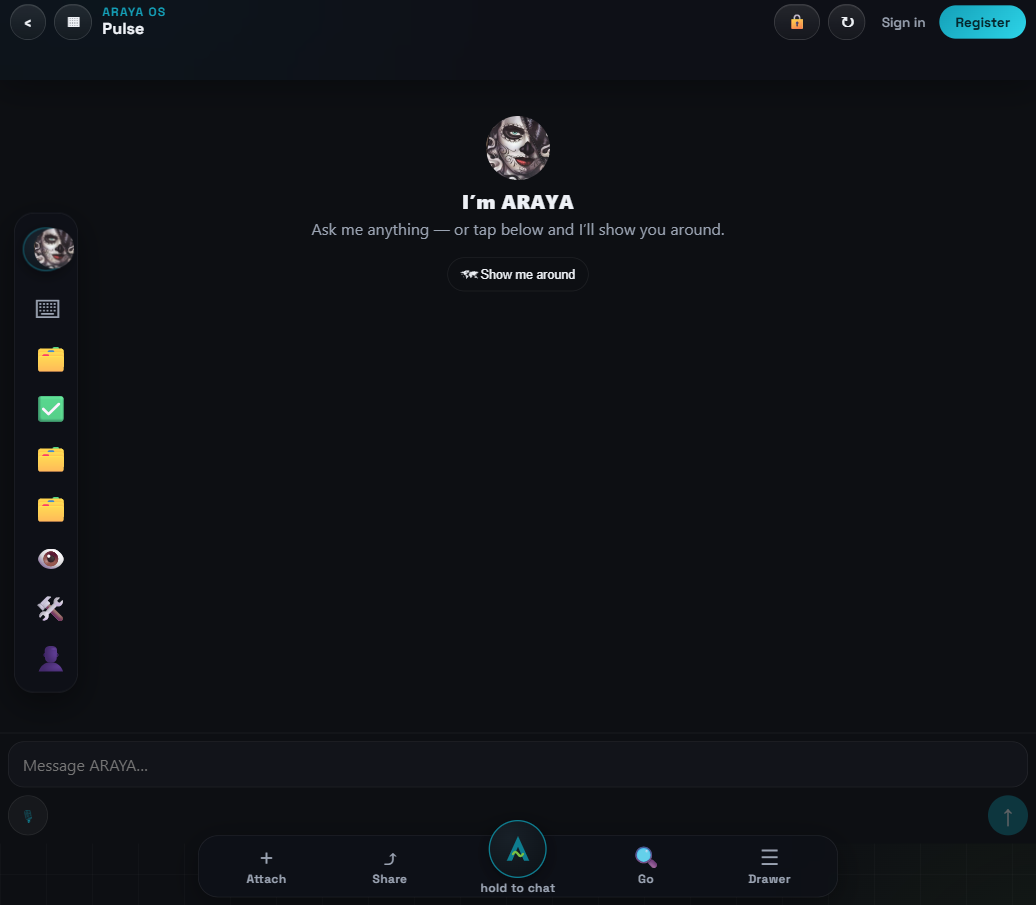
What you see when you open the link
Mission: orient you in under 30 seconds. The headline says whose console this is, the three numbered lines are your first three moves, and the big button opens this guide.
WHAT'S ON IT
| Left rail | your work screens — covered one by one below. It scrolls; Edit rail is at the bottom. |
| Sign in / Register (top right) | goes to the account screen, then returns here. Free. Needed only when you claim work. |
| Read the Guide button | opens this page in a new tab. |
| Bottom bar | ARAYA chat + Attach/Share/Go/Drawer — see step 12. |
DO THIS
- Read the three numbered lines on the landing screen.
- Click Register (top right) and make your free account now — everything after this works better signed in.
The left rail = your Agile pipeline
Mission: one column, your whole workflow, in work order: backlog → in‑progress → review → community. Every button opens its screen over the chat — the ‹ arrow (top left of any open screen) closes it and you're back home. Nothing navigates you away.
WHAT'S ON IT (top to bottom)
| Chat | opens typed chat with ARAYA (same as bottom bar). |
| Projects | the project atlas — what we're building (step 3). |
| To-Dos | ranked next actions across all projects (step 4). |
| WO Board | open work orders — the specs (step 5). |
| Work Order Desk | the kanban — where cards move (step 6). |
| Preview | peek at any widget live before opening it (step 7). |
| Build Guild | join / choose your lane (step 8). |
| People | contacts (demo data until sign-in) (step 9). |
| Guide · Vault · The Guild | fixed doors — Guide is this page, Vault is file storage, The Guild is the claimable mission board (steps 10-11). |
| Edit rail | opens a sheet where you toggle screens on/off your rail. Your arrangement saves and survives reloads. |
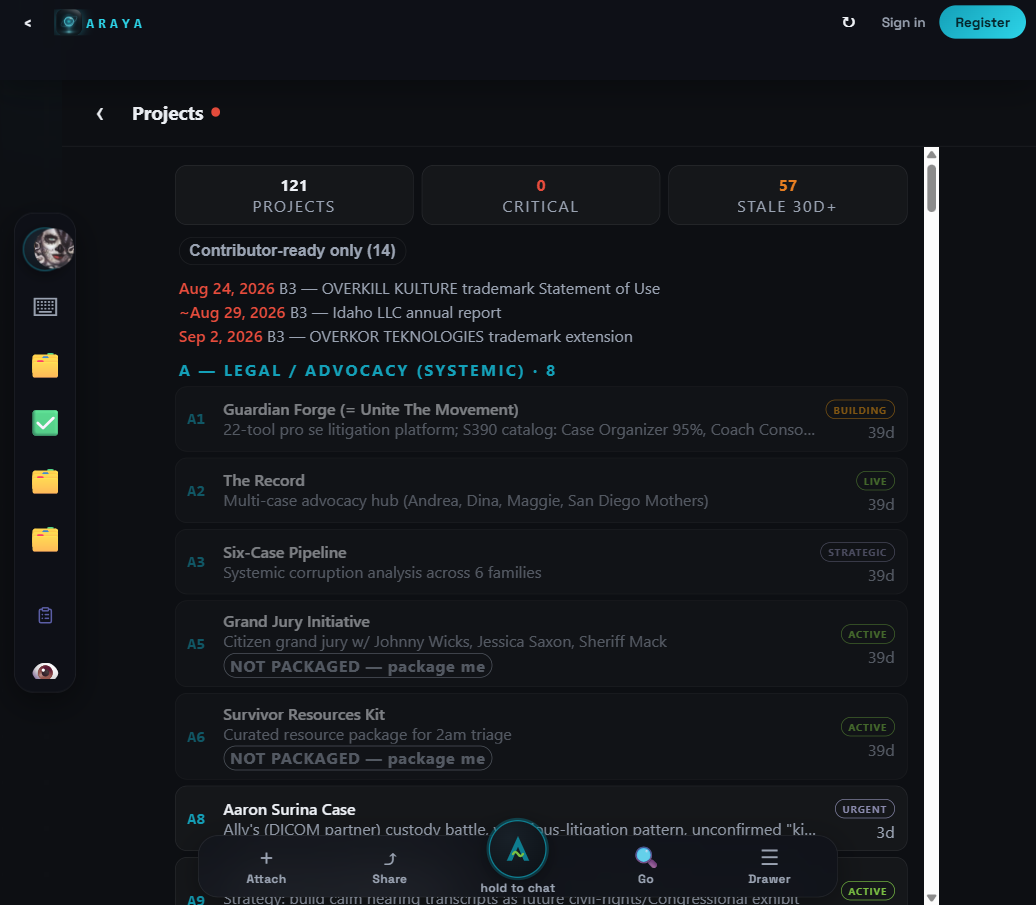
Projects: what this whole platform is building
Mission: the atlas. Every project, grouped by area, with deadlines at the top. You're not expected to read all of it — you're here to find the project your task belongs to.
WHAT'S ON IT
| Counter tiles | totals: projects / critical / stale. Read-only. |
| "Contributor-ready only" toggle | click this first. Filters the atlas down to the ~14 projects prepared for outside builders. The unfiltered list includes internal/legal projects that aren't your work. |
| Project rows | click one to expand its description and status. |
| ‹ (top left) | closes Projects, back to home. |
DO THIS
- Open Projects → click Contributor-ready only → skim the 14. That's the menu of things you could help build.
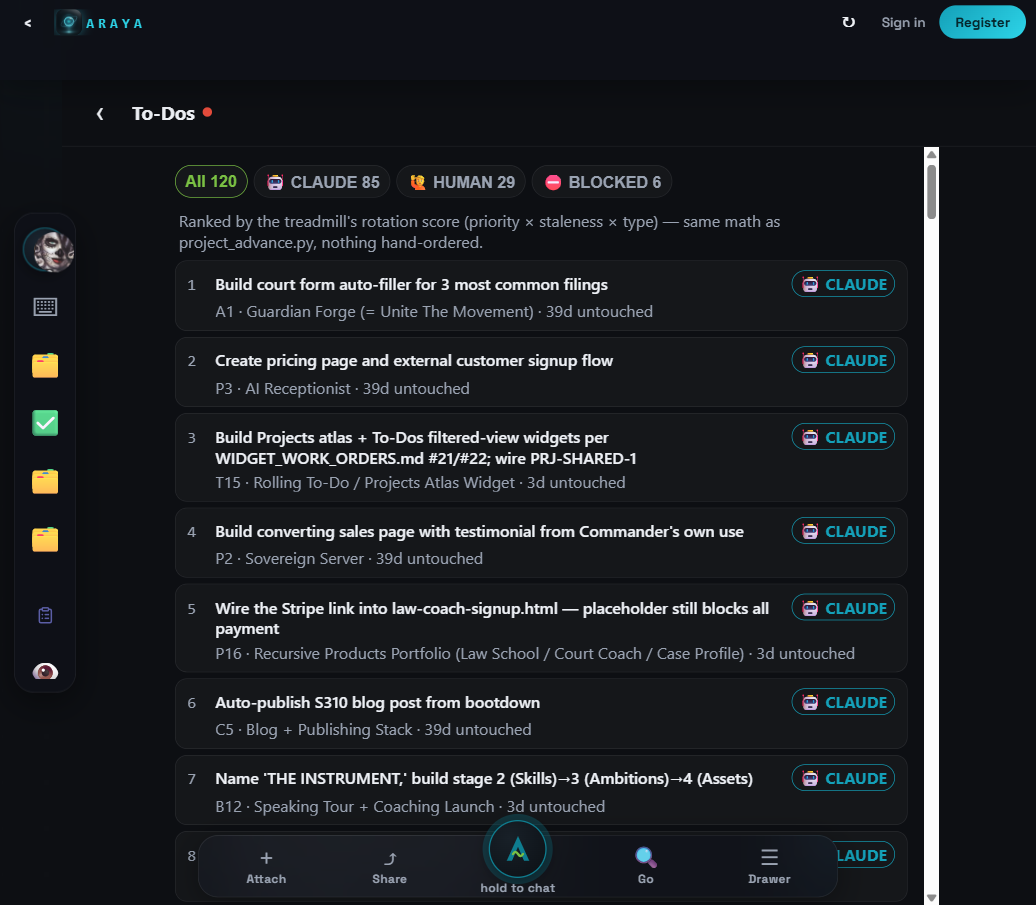
To-Dos: what's next, in order
Mission: the machine-ranked next-action list (priority × staleness × type — nothing hand-ordered). It shows what the platform itself thinks matters next.
WHAT'S ON IT
| All / CLAUDE / HUMAN / BLOCKED chips | filters. 🙋 HUMAN is the one for you — tasks needing a person. |
| Numbered rows | rank, title, owner tag, project, days untouched. Click to expand. |
DO THIS
- Click 🙋 HUMAN and read the top 5 — this is context for what the crew needs; actual claimable work lives in The Guild (step 10).
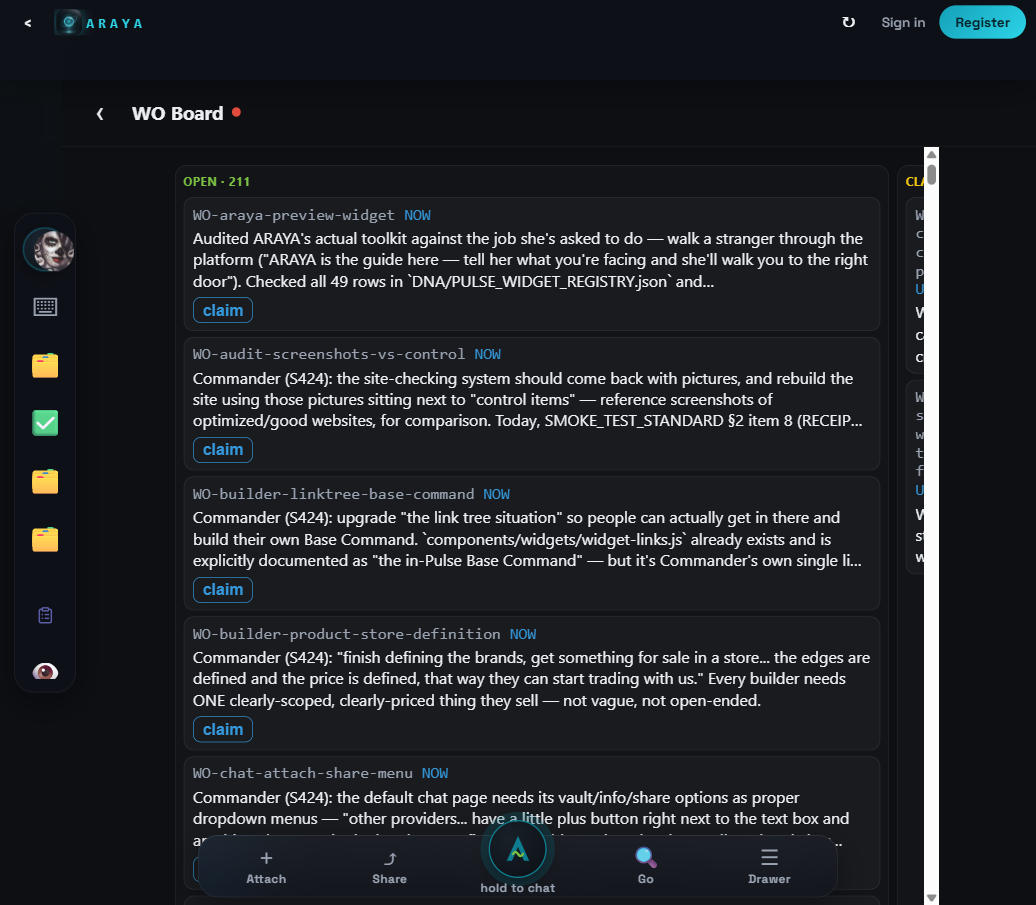
WO Board: the written work orders
Mission: work orders are the spec format here — a card = WHAT to build, WHY, WHERE (files), and what DONE means. This board lists the open ones. When a Guild mission references a WO, this is where you read it.
WHAT'S ON IT
| OPEN counter | how many WOs are open right now. |
| WO cards | id (WO-…), priority, and the first lines of the spec. Click to read the whole thing. |
DO THIS
- Open one card and read its shape — you'll write updates in this same WHAT/WHY/WHERE/DONE shape when you hand work back.
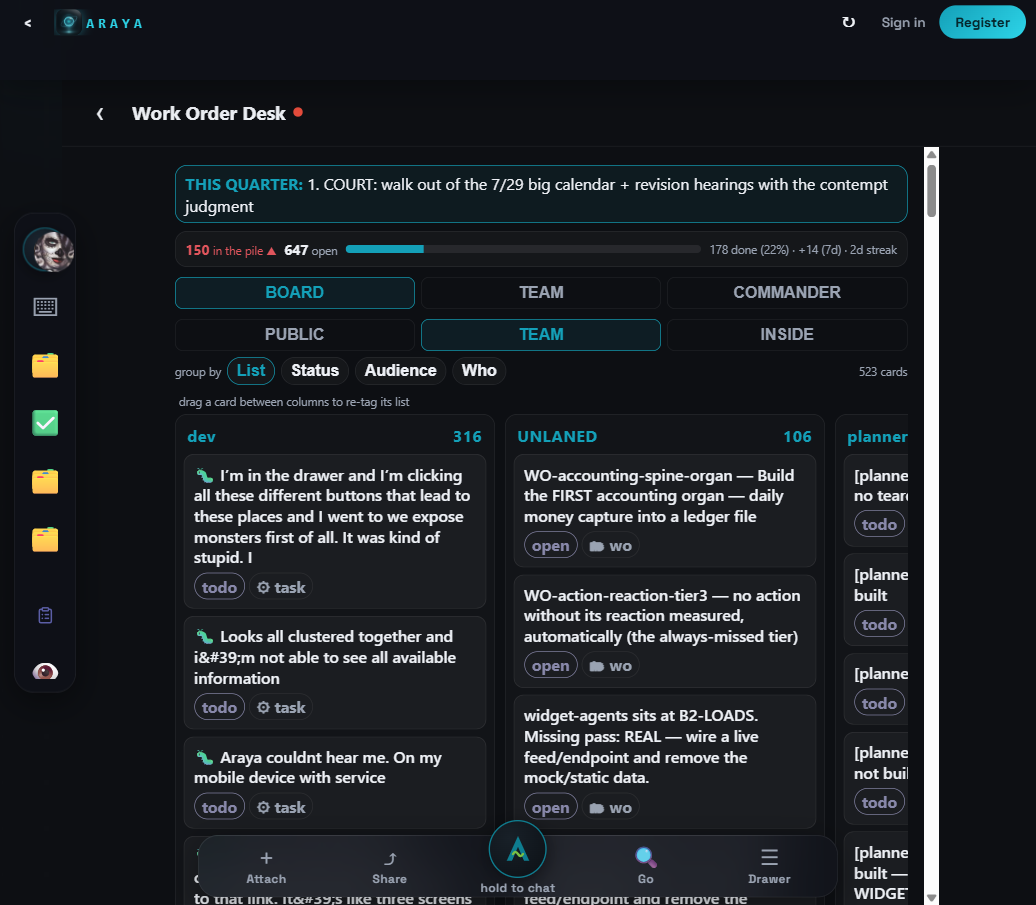
Work Order Desk: the live kanban
Mission: the moving board — every card in flight, in columns. This is where you see work travel from pile → open → done.
WHAT'S ON IT
| BOARD / TEAM / COMMANDER tabs | views. BOARD is yours. |
| PUBLIC / TEAM / INSIDE chips | audience filter — click PUBLIC to see the outward-facing set. |
| group by List / Status / Audience / Who | re-columns the board. |
| Cards | drag between columns to re-tag (signed-in). |
DO THIS
- Click PUBLIC, group by Status — that's the honest picture of public work in flight.
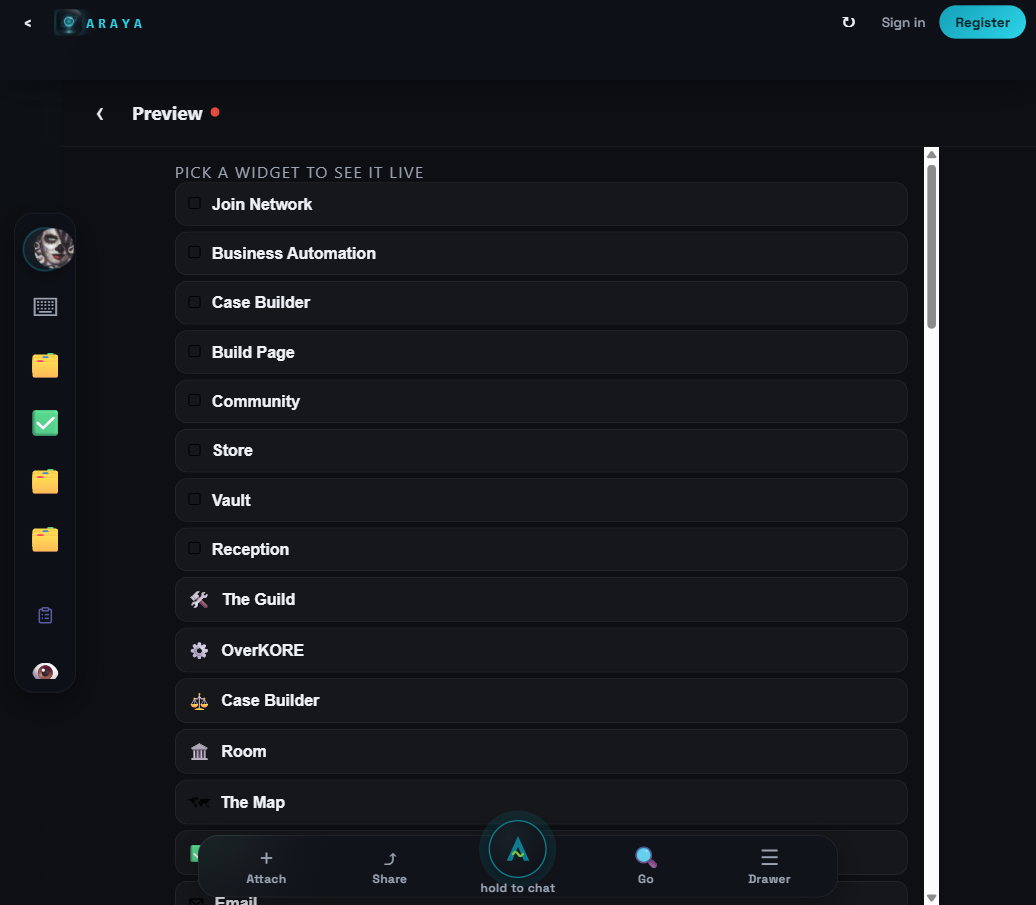
Preview: see any widget live, first
Mission: a viewport that renders any widget in the catalog without committing your screen to it. Use it to check what something looks like — including the thing you just built after it ships.
WHAT'S ON IT
| Widget grid | every registered widget + door. Click one → it renders live inside the panel. |
DO THIS
- Click a few. This is also your QA tool: built a widget? Preview it here before calling it done.
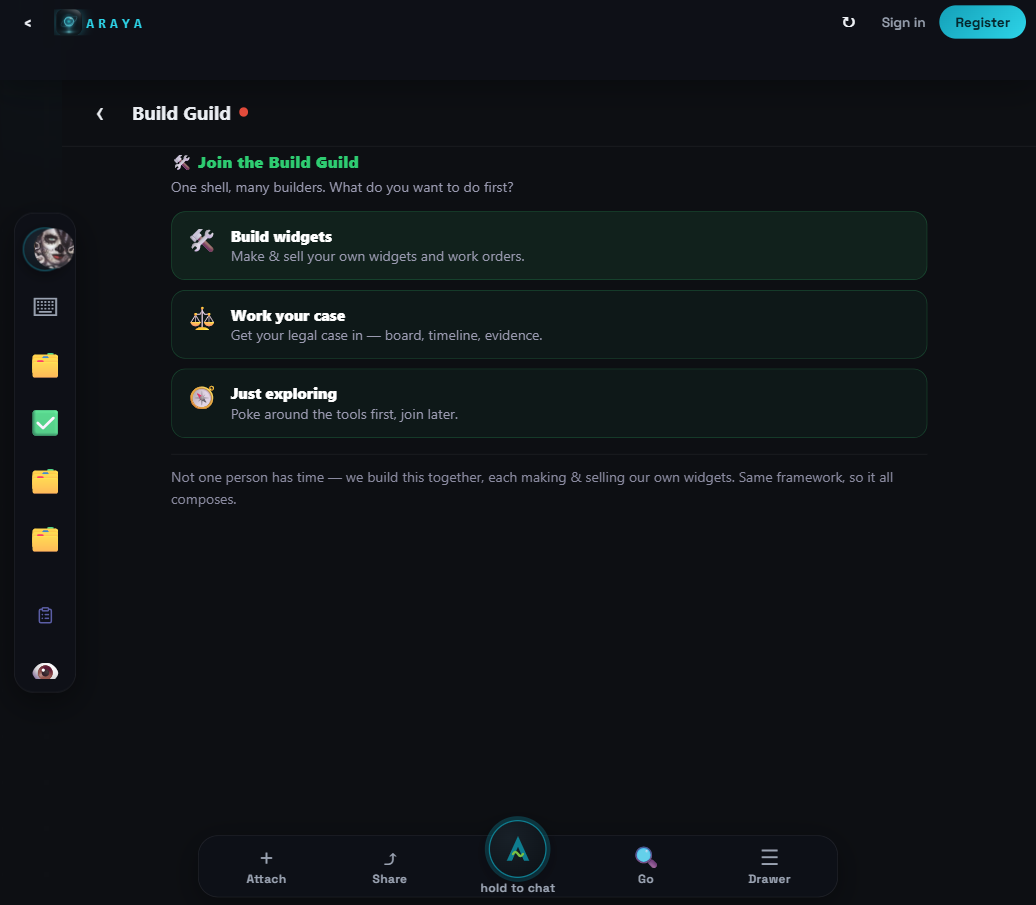
Build Guild: pick your lane
Mission: the front porch of the builder community. Three doors: build widgets (platform work), work your own project with our system, or just explore.
WHAT'S ON IT
| 🛠️ Build widgets | the platform-builder lane (Lane A) — leads to the agreement + The Guild board. |
| ⚖️ Work your case | the Case Builder lane — legal tooling. |
| 🧭 Just exploring | no commitment; look around first. |
DO THIS
- Click the lane that's actually you. Building your own thing with our work-order system (like Signal Forge) counts — that's Lane B, say so in the flow.
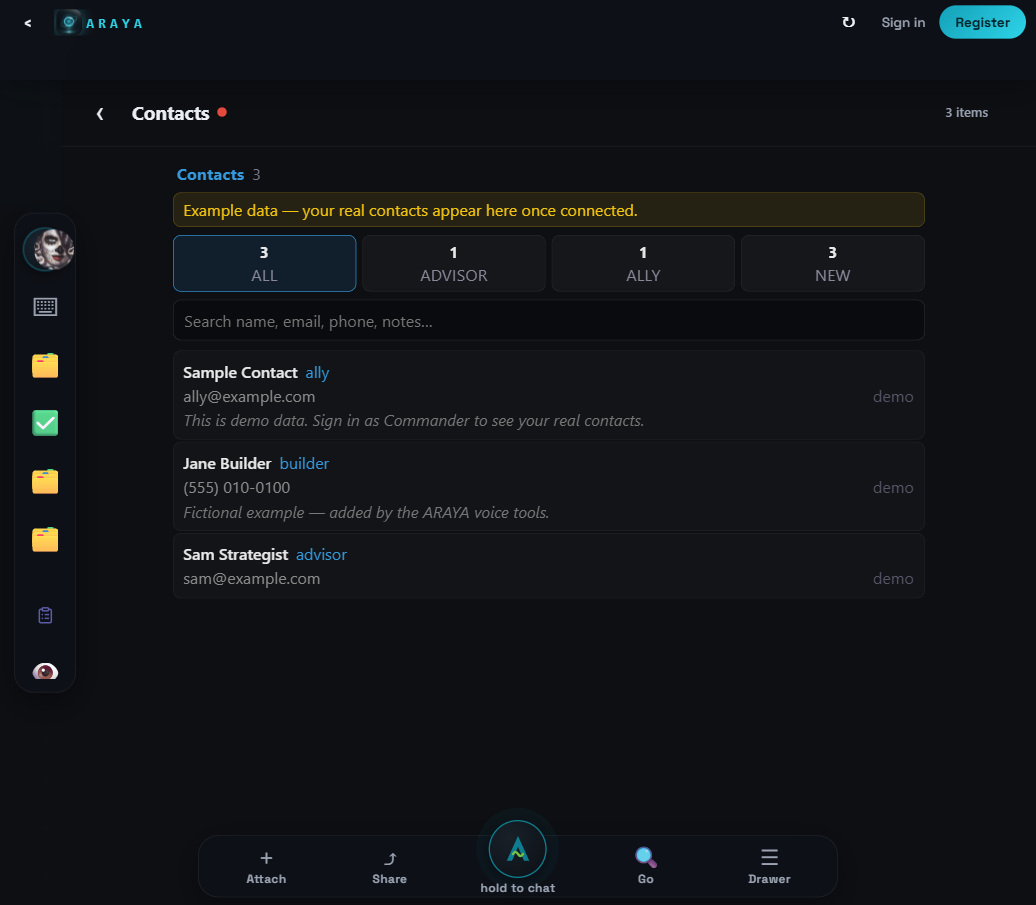
People: your contacts (demo until you sign in)
Mission: your contact book inside the console. Signed out it shows clearly-labeled demo rows — that's honest placeholder, not a bug. Signed in, it's yours.
DO THIS
- Nothing required day one. Once you're collaborating, the people you work with land here.
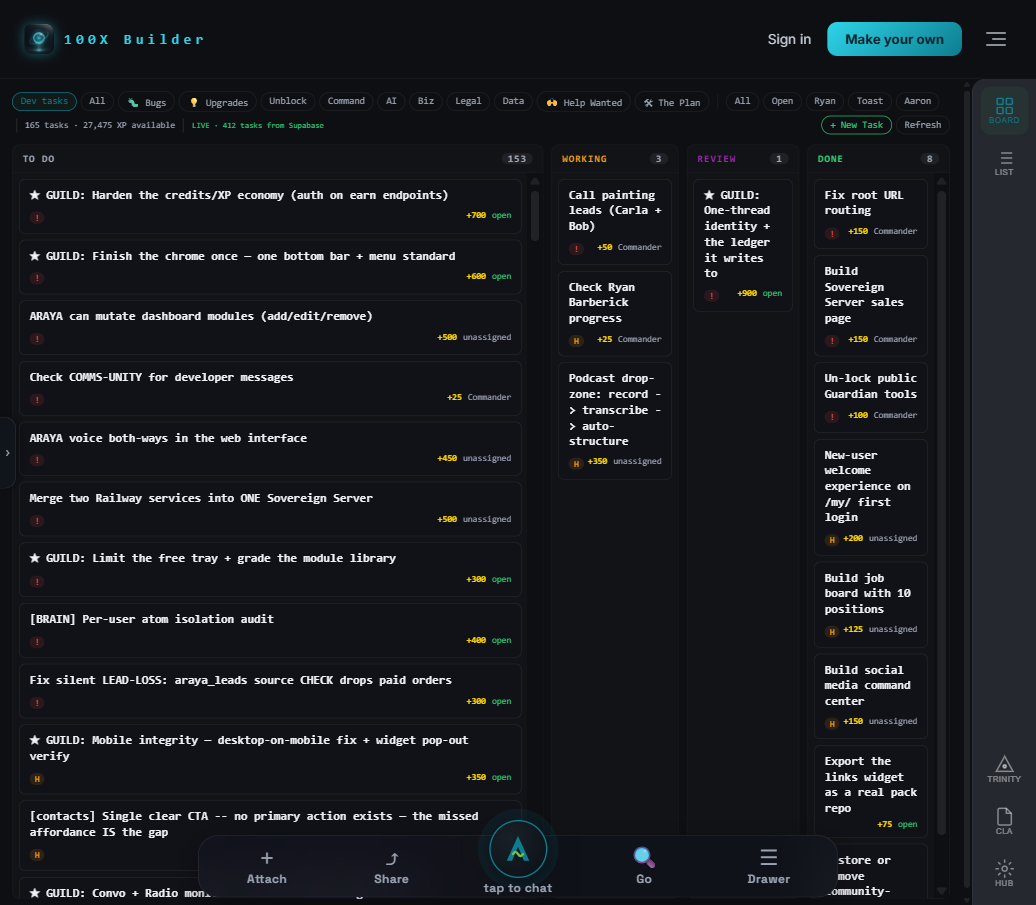
The Guild: the mission board (opens its own tab)
Mission: the claimable task board. Every card = a real task with an XP bounty. This is the one screen that pays. It opens in a new tab; your console stays where it was.
WHAT'S ON IT
| BOARD / LIST / TRINITY / CLA / HUB tabs | views + the contributor agreement (CLA) + the hub. |
| Filter chips | Bugs / Upgrades / Help Wanted / etc. ★ GUILD cards are the curated starters. |
| Columns | TO DO → WORKING → REVIEW → DONE. Cards move right as you work. |
| + New Task | file a task yourself (signed in). |
| Sign in (top right) | same account as the console. |
DO THIS
- Sign in → click any ★ GUILD card in TO DO → read it (next step).
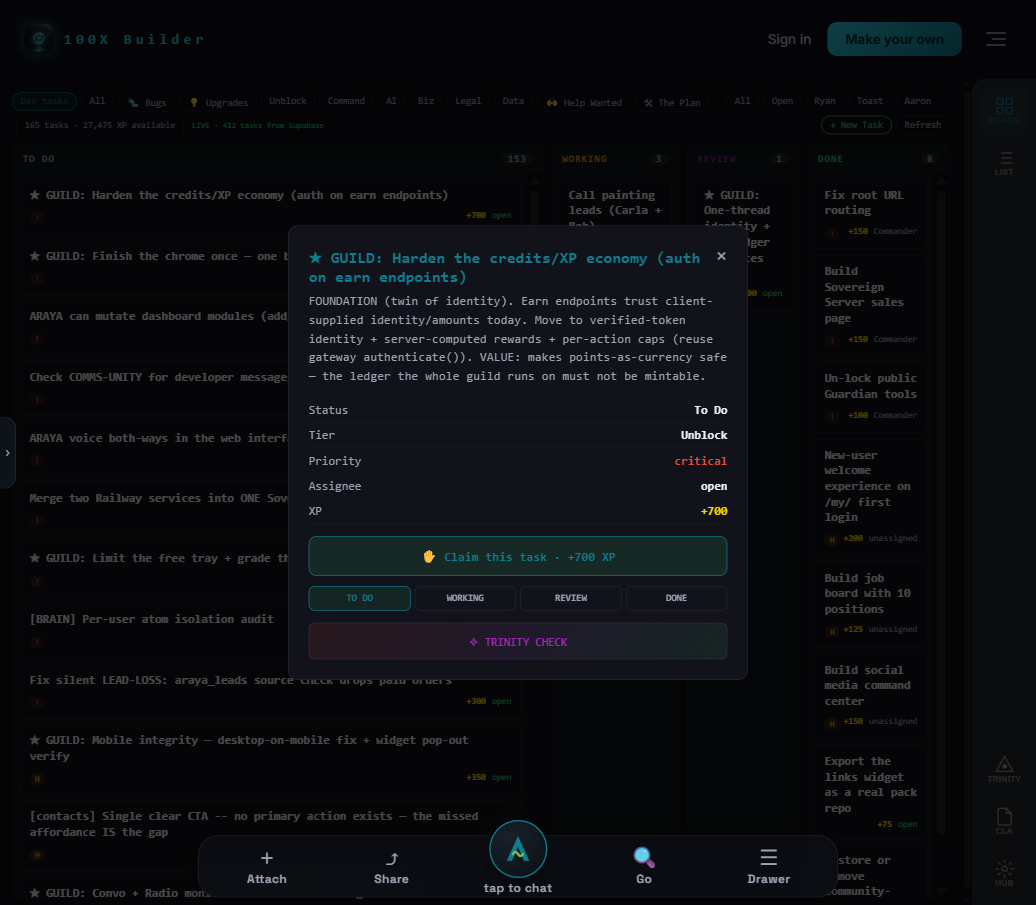
The task card: claim → work → review → XP
Mission: the whole work loop in one card: what the task is, what it pays, one button to make it yours, and the status row to move it as you go.
WHAT'S ON IT
| Description | the spec. If it doesn't tell you enough to start cold, say so on the card — spec gaps are themselves valued feedback. |
| Status / Tier / Priority / XP | the facts row. XP lands when your work passes review. |
| 🤚 Claim this task | makes it yours — it moves to WORKING with your name. Needs sign-in (signed out, the button walks you to sign-in first). |
| TO DO / WORKING / REVIEW / DONE | move your card as you progress. REVIEW = "I'm done, check it." |
| ✦ TRINITY CHECK | runs the AI crew over the task for context before you start. |
DO THIS
- Claim one ★ GUILD starter.
- Work it. Ask ARAYA (console bottom bar) when stuck.
- Click REVIEW when done → approval pays the XP.
ARAYA and the fixed doors
Mission: the bottom bar is the console's always-on layer — ARAYA is the built-in guide who can open and explain any screen.
WHAT'S ON IT
| Center orb — "hold to chat" | voice. Hold, talk, release. |
| Attach | upload a file into the conversation/vault. |
| Share | share the current thing. |
| Go | quick-open any widget by name. |
| Drawer | recent items. |
| Guide door (rail) | this page. |
| Vault door (rail) | file storage — folders, sharing, your build artifacts. |
DO THIS
- Type to ARAYA: "open the WO board" — watch it open. She's the fastest way around the console.
Something broken or confusing? That's a paying task: file it on The Guild (+ New Task) or shoot it with the Bug Blaster on the dev board — bugs pay XP too.